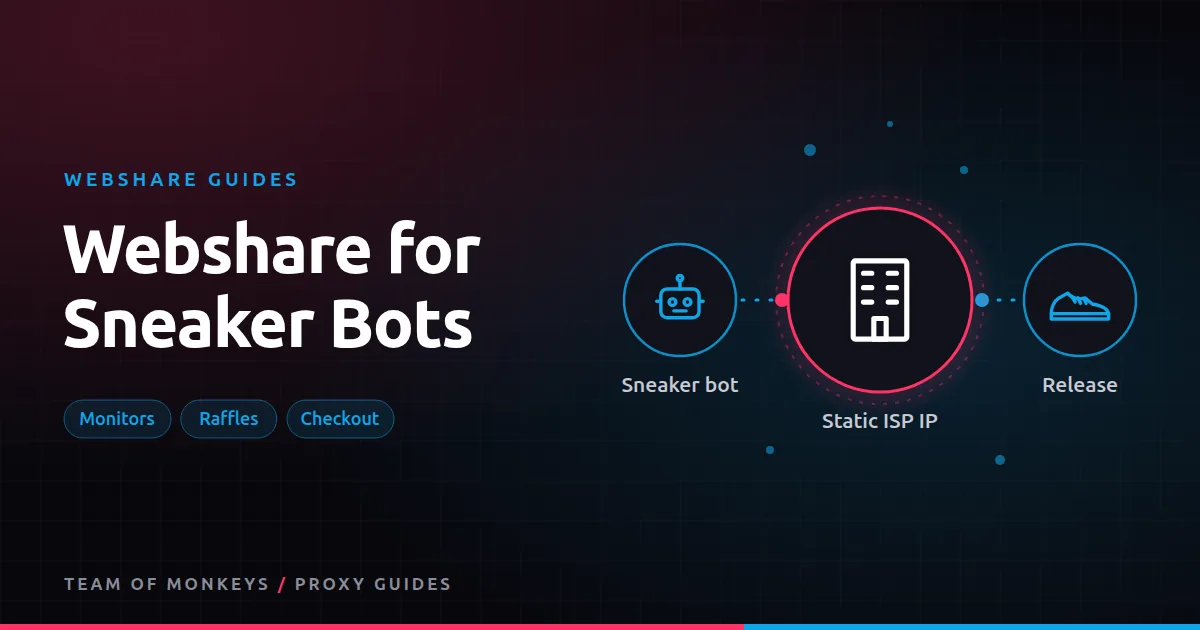
Three jobs, three proxy types
Sneaker botting isn't one task. Most setups split into:
- Monitors that watch for restocks and drops.
- Raffle entries that need many distinct, trusted identities.
- Checkout tasks that need fast, trusted, stable connections.
Webshare has a product for each. Background in our sneaker proxies guide.
| Job | Webshare product | Why |
|---|---|---|
| Monitors | Datacenter list (private or dedicated) | Fast and cheap, many IPs |
| Checkout tasks and accounts | Dedicated static residential (ISP) | Trusted, fast, never changes |
| Raffle entries | Rotating residential | A fresh residential IP per entry |
Monitors
Monitors poll product pages or APIs repeatedly. They need speed and lots of IPs to stay under rate limits, but they don't need residential trust on most sites. A datacenter list from Webshare is a low-cost fit. Use private or dedicated IPs rather than shared ones, since other users may already have burned shared IPs on the same sites. See sneaker monitor proxies.
Checkout and accounts
Checkout is where proxy quality matters most. Static residential IPs look like home connections but run on servers, so they're fast and stable. Webshare's per-IP static residential pricing is low, which helps when you run many tasks. Tips:
- Dedicated, not private, for checkout and accounts.
- Match region to the site and your accounts.
- One IP per account to keep accounts separate.
See Webshare static residential proxies and ISP proxies for sneakers.
Raffles
Raffles reward distinct entries. Rotating residential gives each entry a different household IP. Use a session per entry so the IP holds for the entry flow, and target the raffle's country. Residential traffic is billed per GB, so keep entry flows lean. See residential proxies for sneakers.
How many proxies?
A common starting point is one IP per task for checkout, with monitors on a separate pool. Our guide on how many proxies for a sneaker bot walks through the math.
Release day checklist
- Test every proxy against the target site the day before.
- Replace slow or blocked IPs. See Webshare proxy replacements.
- Keep monitors and checkout on separate pools.
- Check your plan's thread limit covers all tasks at once. See bandwidth and threads.
- Run your bot server close to the site's servers. See sneaker bot server location.
Budget tip: You can test most of this guide for free: Webshare gives every new account 10 datacenter proxies and 1 GB of bandwidth a month without a credit card. Move to a paid plan once the pilot works. See our complete Webshare guide.
Rules to respect
Many retailers limit purchases per customer and ban bot activity in their terms. Accounts and orders can be cancelled. Know the rules of each site and the risks before you run a bot.
Comparing providers
Sneaker users often run more than one provider so a bad batch doesn't ruin a release. Geonode offers ISP proxies with unmetered bandwidth and residential traffic with sticky sessions up to 24 hours. See Webshare vs Geonode for sneakers.
Proxy groups for a typical setup
| Group | Size (example) | Webshare product | Used by |
|---|---|---|---|
| Monitors | 100 to 300 IPs | Private or dedicated datacenter | Monitor tasks |
| Checkout | 1 IP per task | Dedicated static residential | Checkout tasks and accounts |
| Raffles | Per entry | Rotating residential, session per entry | Raffle entries |
Load each group into your bot as a separate proxy list, and never let tasks borrow from another group.
Testing a new batch before release day
- Import the checkout IPs into your bot.
- Run a "dry" task against the target site's product page.
- Note response time and any challenges per IP.
- Replace IPs that are slow or challenged.
- Repeat the night before release, since sites update defences.
Proxy tip: If your residential usage goes up and down, compare Geonode: its per-GB residential bandwidth doesn't expire, so you only pay for what you use. See Webshare vs Geonode.
Matching region and server location
Choose static residential IPs in the region the store serves, and run your bot on a server near the store's infrastructure. A fast IP on the wrong continent loses to a slower one next door.
Budgeting per release
Static residential IPs are a monthly cost, so the cost per release falls the more releases you run. Residential raffle traffic is per GB; keep entry flows lean to control it. Track spend per successful checkout to see which groups earn their keep.
A real-world example
A small cook group runs 20 checkout tasks on Shopify-based sneaker sites. They split proxies into three groups in their bot: 150 private datacenter IPs for monitors, 20 dedicated static residential IPs for checkout tasks, and rotating residential sessions for raffle entries. Before each release they test the checkout IPs against the store and replace slow ones. Keeping groups separate means a blocked monitor IP never affects a checkout task.
Not sure this is the right proxy type for the job? The best proxies in 2026 guide compares residential, ISP, datacenter and mobile options, and our cheap proxies guide covers budget picks that still work.
Key takeaways
- Use datacenter lists for monitors, dedicated static residential IPs for checkout and accounts, and rotating residential for raffles.
- Avoid shared IPs on popular sneaker sites.
- Keep proxy groups separate in your bot.
- Test and replace checkout IPs before every release.
- Retailers often restrict bots, so know each site's rules.
FAQ
Are Webshare proxies good for sneakers?
Webshare's static residential proxies suit checkout tasks and accounts, and its datacenter lists suit monitors. Results vary by site, so test before release day.
Should I use shared proxies for sneaker bots?
No. Shared IPs may already be flagged on popular sites. Use private or dedicated IPs.
Do I need residential proxies for raffles?
Rotating residential IPs work best for raffles because each entry gets a distinct, trusted IP.
Can I use Webshare proxies with any sneaker bot?
Most bots accept proxy lists in ip:port:user:pass format, which Webshare provides.
How fast are Webshare static residential proxies?
Webshare advertises up to 1 Gbps per static residential proxy; real speed depends on your server and the target.
Should monitors use residential proxies?
Usually not. Fast datacenter IPs are cheaper and work for most monitors.
Editorial note: Proxy providers change their pools, features and prices often, so treat any figures here as typical ranges at the time of writing and confirm current terms with the provider before you buy.