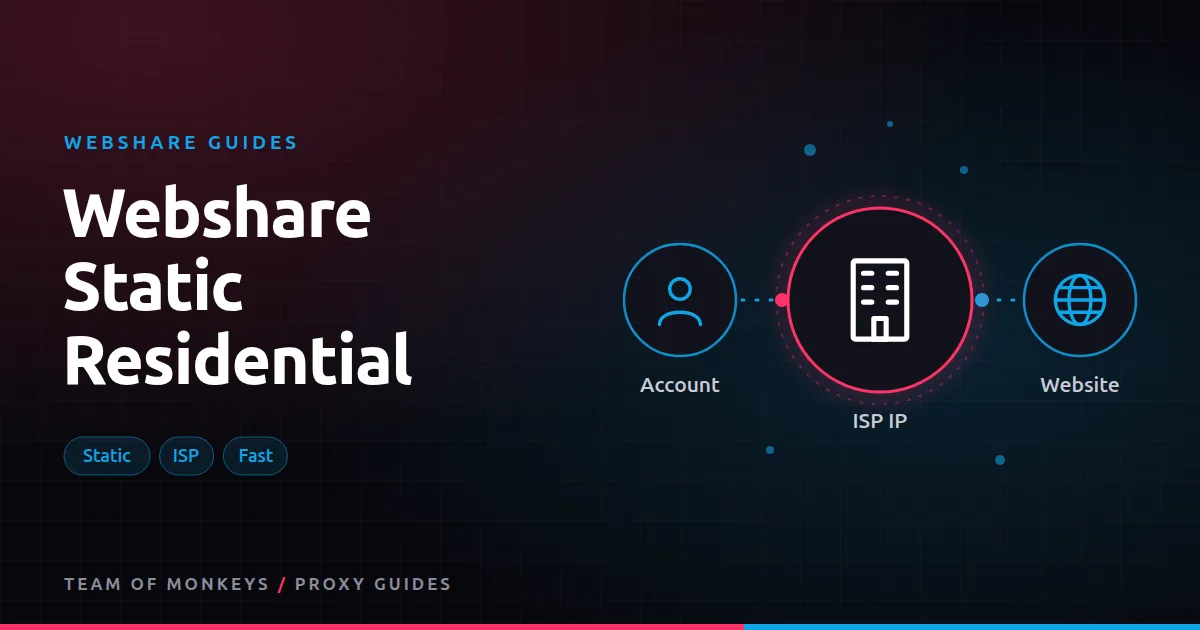
What static residential means at Webshare
Webshare's static residential product is what most of the industry calls ISP proxies. Each proxy is an IP address registered to a consumer internet provider, but it's hosted on server hardware rather than in someone's home. Websites see a residential-looking IP, while you get server speed and an address that doesn't change.
Webshare names several of the ISPs behind these IPs, including AT&T, Sprint, Cox, Comcast, RCN and Lumen. It advertises speeds of up to 1 Gbps per proxy and a pool of over 100,000 static IPs at the time of writing.
Pricing
Static residential proxies are priced per IP per month. List prices at the time of writing:
| Proxies | Per proxy | Monthly |
|---|---|---|
| 20 | $0.30 | $6.00 |
| 250 | $0.30 | $75.00 |
| 1,000 | $0.27 | $270.00 |
| 3,000 | $0.24 | $720.00 |
| 10,000 | $0.225 | $2,250.00 |
These are base plan prices. Plans include a bandwidth allowance that you can raise (up to unlimited under a fair usage policy), and dedicated IPs cost more per proxy. Even so, the starting price per IP is low compared with most ISP proxy sellers. See Webshare pricing explained.
Private vs dedicated static residential
Webshare offers two levels of exclusivity on static residential IPs:
- Private: the IP may be shared with a small number of other users. It's cheaper, with a slightly higher risk of slower speeds or reputation issues caused by someone else.
- Dedicated: the IP is yours alone. Nobody else's activity can affect its reputation.
For account management, sneaker checkouts and anything where an IP's history matters, dedicated is the safer choice. For scraping that just needs a fast, trusted IP, private is often good enough. More in shared vs private vs dedicated Webshare proxies.
What they're good for
- Account management. Give each social, marketplace or ad account its own fixed IP so logins always come from the same place. See Webshare for social media management.
- Antidetect browser profiles. Pair one static IP with one profile. See Webshare with antidetect browsers.
- Sneaker checkouts. Fast, trusted IPs for checkout tasks. See Webshare for sneaker bots.
- Long browser sessions that would break if the IP changed midway.
- IP whitelisting. Partners and APIs that only accept known IPs.
- Gaming and low-latency jobs. See Webshare for gaming.
When rotating residential is better
Static IPs are a small, fixed set. If you need thousands of different IPs, or you need to look like many different households, rotating residential is the right tool. A useful split: static residential for identities, rotating residential for volume.
Budget tip: You can test most of this guide for free: Webshare gives every new account 10 datacenter proxies and 1 GB of bandwidth a month without a credit card. Move to a paid plan once the pilot works. See Webshare rotating residential proxies.
Setup tips
- Map IPs to identities. Keep a simple table of which IP belongs to which account or profile, and never reuse an IP across unrelated identities.
- Match locations. Choose IPs in the country (and ideally region) your accounts normally log in from.
- Use SOCKS5 where your tool supports it to avoid header leaks, or HTTP if the tool only supports that. Both are available.
- Check reputation before use. Run new IPs through a basic test against your target before you assign them to valuable accounts. See ip reputation and proxies.
- Request a replacement if an IP is flagged or slow, rather than living with it. See Webshare proxy replacements.
How it compares
Webshare's per-IP static residential prices are very low. Geonode also sells ISP proxies, priced per IP with unmetered bandwidth and a small minimum order, at somewhat higher list prices per IP. Which is better depends on locations, bandwidth needs and how each performs on your targets; see Webshare vs Geonode ISP proxies.
Checking a new batch of static IPs
Static IPs are long-term assets, so check them before you assign them:
- Geolocation. Confirm country and region in two or three geolocation databases.
- ASN. Confirm the IP belongs to a consumer ISP, as expected.
- Blocklists. Check common IP reputation lists for listings.
- Target test. Load your main target and confirm there are no challenges.
- Speed. Measure latency to your target from your bot or browser server.
Replace any IP that fails before it touches a valuable account. See Webshare proxy replacements.
Keeping static IPs healthy
- One identity per IP. Never mix accounts.
- Steady behaviour. Sudden bursts of activity can flag even a clean IP.
- No scraping on account IPs. Keep scraping traffic on separate products so it can't damage account reputations.
- Monitor. If an account on an IP starts seeing challenges, investigate the account's activity before blaming the IP.
Cost per identity
Because static residential is priced per IP, the cost per account is easy to calculate: plan price divided by the number of IPs. At Webshare's list prices that's well under a dollar per identity per month on base plans, before upgrades such as dedicated access or higher bandwidth. Compare that with the value of each account; for most businesses, a dedicated IP per account is cheap insurance.
Proxy tip: If your residential usage goes up and down, compare Geonode: its per-GB residential bandwidth doesn't expire, so you only pay for what you use. See Webshare vs Geonode.
Static residential vs dedicated datacenter
Both give you a fixed IP. The difference is how websites classify it. Dedicated datacenter IPs are fine for whitelisting, monitoring and lenient sites. Static residential IPs look like home connections, which matters for social platforms, marketplaces and sneaker sites. If the target treats datacenter IPs with suspicion, static residential is worth the premium.
A real-world example
A small agency manages 30 marketplace seller accounts for clients in the US. Each account gets one dedicated static residential IP from Webshare in the client's home state where available, and its own antidetect browser profile. The agency checks each new IP against the marketplace before assigning it and replaces two that showed challenges. After six months the accounts have had no IP-related verification prompts, and the proxy cost is a small line item in the agency's fees.
If you're still shortlisting, compare this setup with the options in our best proxies guide, and use our cheap proxies guide to estimate what a sensible budget looks like. To understand the IP type behind this, read our residential proxies guide.
Key takeaways
- Static residential proxies are ISP-registered IPs hosted on servers: residential-looking, fast and unchanging.
- Webshare's per-IP list prices start very low, with private and dedicated options.
- Use dedicated IPs for accounts, checkouts and anything where IP history matters.
- Check each new IP's location, ASN and reputation before assigning it to a valuable account.
- Use rotating residential instead when you need thousands of different IPs.
FAQ
Are Webshare static residential proxies real residential IPs?
They're IPs registered to consumer ISPs, hosted on servers. Websites classify them as residential, but they don't run through home devices. That's what makes them fast and stable.
Do static residential IPs ever change?
Not unless you replace them. Dedicated static residential IPs stay assigned to you for as long as your plan continues.
How many static residential proxies do I need?
One per identity you need to keep separate, plus a few spares. For scraping, use rotating residential instead of buying hundreds of static IPs.
Is static residential the same as ISP proxies?
Yes. Webshare's static residential proxies are what most providers call ISP proxies.
Do Webshare static residential proxies have unlimited bandwidth?
Bandwidth is a plan setting, up to unlimited under a fair usage policy.
Which countries are available?
Availability depends on ISP partnerships and changes over time; check the plan configurator for current locations.
Editorial note: Proxy providers change their pools, features and prices often, so treat any figures here as typical ranges at the time of writing and confirm current terms with the provider before you buy.