The basic setup
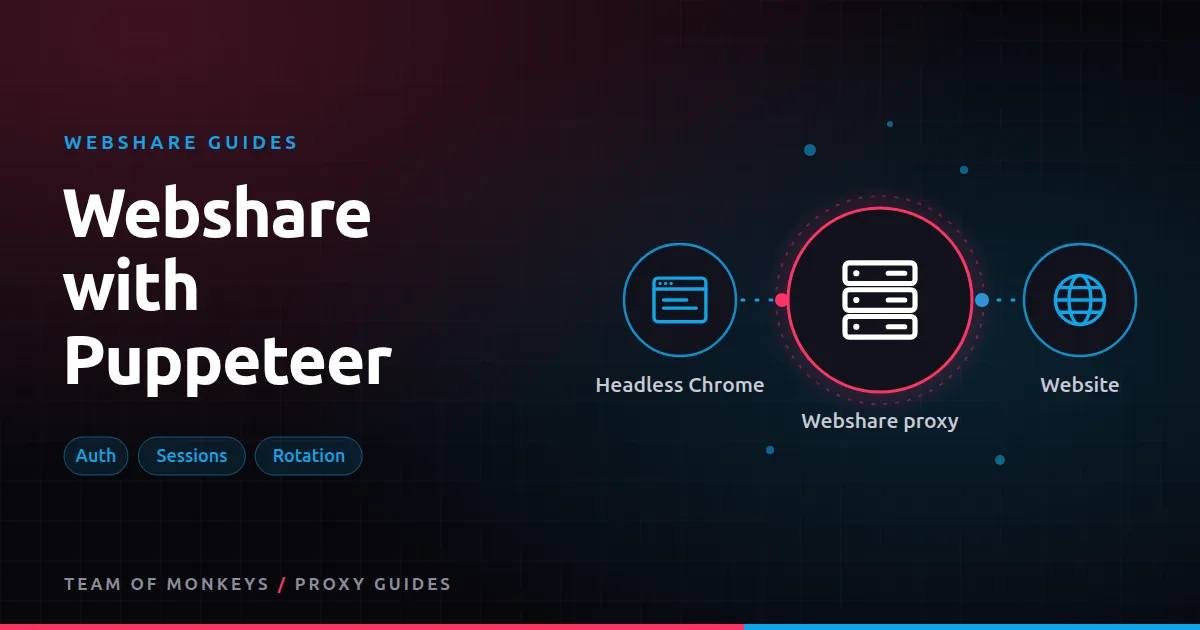
Chrome takes its proxy at launch, so in Puppeteer you pass it as a launch argument and send credentials with page.authenticate(). Chrome doesn't accept credentials inside the proxy URL. Our full Puppeteer proxies guide covers the general patterns; this page is the Webshare-specific version.
import puppeteer from "puppeteer";

const browser = await puppeteer.launch({
  args: ["--proxy-server=http://p.webshare.io:80"],
});
const page = await browser.newPage();
await page.authenticate({ username: `${process.env.WS_USER}-rotate`, password: process.env.WS_PASS });
await page.goto("https://httpbin.org/ip");
console.log(await page.evaluate(() => document.body.innerText));
await browser.close();
For a direct proxy from your list, use --proxy-server=http://IP:PORT and that proxy's username and password. If you've set up IP authorization, you can skip page.authenticate() entirely.
Rotation in a browser
A browser makes many requests per page (HTML, scripts, images, APIs). With the rotate option, each of those can leave from a different IP, which some sites find suspicious and which breaks logins. Usually it's better to keep one IP per page load or per task:
- One session per browser. Use a session username for each browser instance.
- One session per context. Create incognito contexts, each with its own credentials. See Puppeteer proxy per page.
- New browser for a new IP. For bulk jobs, rotate by launching fresh browsers (or contexts) with new session numbers.
const sid = Math.floor(Math.random() * 1e6);
await page.authenticate({ username: `${user}-${sid}`, password: pw });
See Webshare sticky sessions and Puppeteer rotating proxies.
Choosing the Webshare product
| Puppeteer job | Product |
|---|---|
| Rendering lenient sites at scale | Datacenter list, one IP per browser |
| Protected sites | Rotating residential, session per task |
| Logged-in automation, account tasks | Dedicated static residential IP per profile |
| Screenshots from many countries | Rotating residential with country targeting |
Cutting bandwidth
Browsers download far more than the data you need, and on residential plans that's money. Block heavy resources:
await page.setRequestInterception(true);
page.on("request", (req) => {
  const t = req.resourceType();
  if (["image", "media", "font"].includes(t)) req.abort();
  else req.continue();
});
This often halves bandwidth. Test that the page still renders the data you need, since some sites load content after images.
Stealth and fingerprints
A proxy changes your IP, not the browser fingerprint. Headless Chrome has tell-tale signs that bot protection checks. Use realistic viewport sizes, a matching timezone and language for the proxy's location, and consider stealth plugins. See Puppeteer stealth proxies and browser fingerprinting and proxies.
Budget tip: Before scaling, run a short pilot with Webshare on your real targets and record success rate, latency and bandwidth per result. Our our complete Webshare guide explains which Webshare product fits which job.
Common errors
ERR_TUNNEL_CONNECTION_FAILED: wrong host or port, or the proxy is down. Test with cURL.ERR_PROXY_CONNECTION_FAILED: Chrome can't reach the proxy at all; check firewall and host.- Auth prompt or 407:
page.authenticate()not called before navigation, or wrong credentials. - Works for the first page, then fails: rotating IPs breaking a session; switch to a session username.
More in fixing common Webshare errors.
Scaling
For many browsers, use a pool such as puppeteer-cluster and assign each worker its own session or direct IP. See Puppeteer cluster proxies. Keep total connections below your plan's thread limit.
Pooling browsers with sessions
Launching a browser is slow, so reuse browsers and vary sessions through incognito contexts:
const browser = await puppeteer.launch({ args: ["--proxy-server=http://p.webshare.io:80"] });

async function task(url) {
  const ctx = await browser.createBrowserContext();
  const page = await ctx.newPage();
  const sid = Math.floor(Math.random() * 1e6);
  await page.authenticate({ username: `${user}-${sid}`, password: pw });
  try {
    await page.goto(url, { waitUntil: "domcontentloaded", timeout: 45000 });
    return await page.content();
  } finally {
    await ctx.close();
  }
}
Each task gets its own context, cookies and session IP; closing the context cleans everything up.
Timeouts and waits
Proxies add latency, so default timeouts can be too tight, especially on residential IPs. Use domcontentloaded or a specific selector wait instead of networkidle where possible; idle waits can hang on pages that keep polling.
Measuring bandwidth per page
Count response sizes to see what each page really costs:
let bytes = 0;
page.on("response", async (r) => {
  try { bytes += (await r.buffer()).length; } catch {}
});
Run it on a sample of pages, then decide which resources to block.
Proxy tip: For a second opinion on hard targets, run the same test through Geonode residential proxies, which support sticky sessions up to 24 hours and ASN targeting. We compare the two in using Geonode with Puppeteer.
When to drop Puppeteer
If the data is available in the page's HTML or an internal JSON API, a plain HTTP client with a datacenter list is far cheaper than a browser on residential traffic. Use Puppeteer only where rendering or interaction is truly needed.
A real-world example
A company generates PDF reports from 5,000 public dashboards a week. The dashboards' host blocks repeated access from one IP, so the team runs Puppeteer through a 100-IP Webshare datacenter list, assigning one IP per browser and recycling browsers every 50 pages. Because the dashboards accept datacenter traffic, there's no per-GB cost; bandwidth fits within the plan's setting. Blocking web fonts and analytics scripts speeds up rendering by about 30%.
Not sure this is the right proxy type for the job? The best proxies in 2026 guide compares residential, ISP, datacenter and mobile options, and our cheap proxies guide covers budget picks that still work.
Key takeaways
- Pass the proxy with
--proxy-serverand credentials withpage.authenticate(), or use IP authorization. - Keep one session per browser context instead of rotating inside a page.
- Block images, media and fonts to cut bandwidth on residential traffic.
- Match fingerprint signals such as timezone and language to the proxy location.
- Use plain HTTP clients when the data doesn't need rendering.
FAQ
Can I put Webshare credentials in the --proxy-server flag?
No. Chrome ignores credentials there. Use page.authenticate() or IP authorization.
Do Webshare SOCKS5 proxies work with Puppeteer?
Chrome supports SOCKS5 proxies but not SOCKS5 authentication, so use SOCKS5 only with IP authorization. Otherwise use HTTP. See Puppeteer SOCKS5 proxy.
How do I compare Webshare with another provider in Puppeteer?
Run the same script with each provider's credentials and measure success rate and cost per page. See Webshare vs Geonode for Puppeteer.
Can each Puppeteer page use a different Webshare IP?
Yes, with separate browser contexts and different session usernames, or by launching browsers with different direct IPs.
Why is Puppeteer slower through a proxy?
The extra hop adds latency, and residential IPs are slower than datacenter. Block heavy resources and use appropriate waits.
Do I need stealth plugins with Webshare?
On sites with strong bot protection, often yes; proxies change the IP but not the browser fingerprint.
Editorial note: Proxy providers change their pools, features and prices often, so treat any figures here as typical ranges at the time of writing and confirm current terms with the provider before you buy.