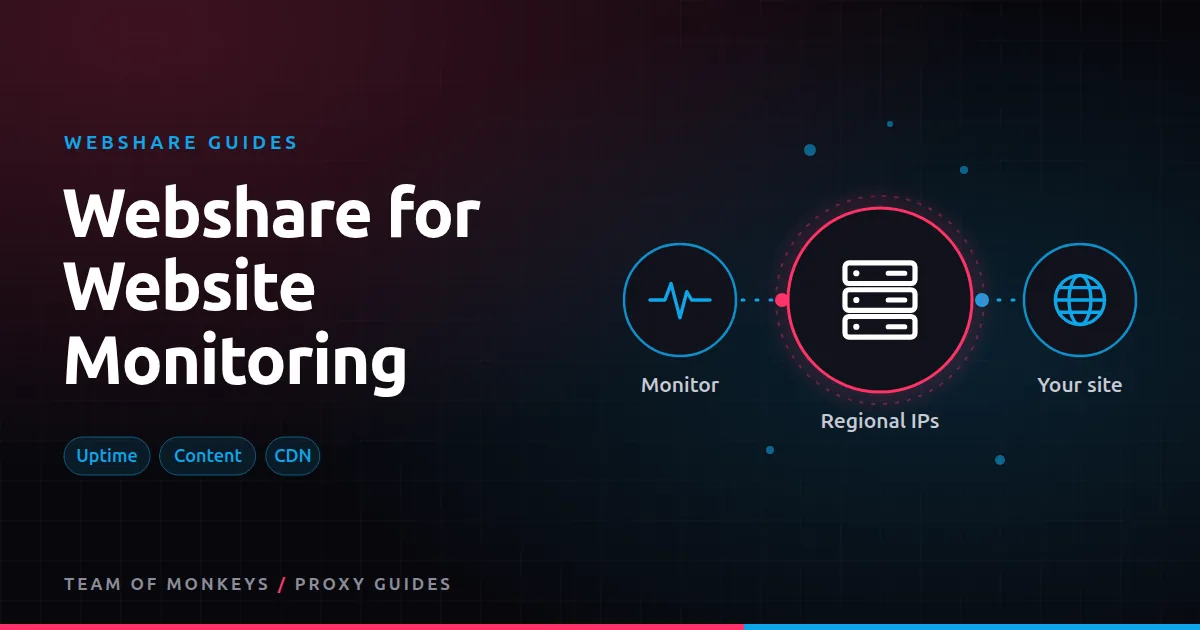
Why monitor through proxies
Monitoring from one location tells you whether your site works there. Users elsewhere may get a different CDN node, a different version of the page, or an outage you can't see. Proxies let you check from many countries without running servers in each. Common jobs:
- Uptime and response time by country.
- Content change detection on your own or competitors' pages.
- CDN and geo-routing checks: is each region served the right version?
- Third-party dependency checks: are payment, chat or analytics scripts loading for users abroad?
Why datacenter proxies fit
Monitoring is light, frequent and usually aimed at sites that don't block you (often your own). That's the ideal job for Webshare's low-cost datacenter lists: fast, stable, and cheap per IP. Choose IPs in each country you want to monitor. See Webshare datacenter proxies.
Use rotating residential only when the monitored site treats datacenter traffic differently, for example competitor pages behind bot protection.
Setting up checks
- Pick regions that matter to your users.
- Assign proxies per region, ideally a couple per region so one bad IP doesn't trigger false alarms.
- Check on a schedule (every 1 to 5 minutes for uptime, hourly or daily for content).
- Record status code, response time, a content hash and key elements.
- Alert on confirmed failures: require two regions or two IPs to fail before paging someone.
Measuring performance fairly
Proxy hops add latency, so absolute numbers through a proxy aren't the same as a user's experience. Use proxies for relative comparisons (region vs region, today vs last week) and for availability. For true performance, combine with real user monitoring. See proxy speed test.
Content change detection
- Hash only the meaningful part of the page (strip timestamps, ads and session tokens).
- Store the previous version so you can show a diff.
- For JavaScript-heavy pages, render with a headless browser on a slower schedule.
Budget tip: You can test most of this guide for free: Webshare gives every new account 10 datacenter proxies and 1 GB of bandwidth a month without a credit card. Move to a paid plan once the pilot works. See our complete Webshare guide.
Costs
A monitor that checks 50 URLs every five minutes from five regions makes about 72,000 requests a day. With HTML-only checks that's a few GB a month, well within a small datacenter plan. See bandwidth and threads.
Comparing providers
For a Geonode-based setup, see Geonode for website monitoring. Geonode prices rotating datacenter traffic per GB, which can suit light monitors with few requests.
A minimal multi-region monitor
import time, hashlib, requests

REGIONS = {"us": US_PROXY, "de": DE_PROXY, "jp": JP_PROXY}  # Webshare datacenter IPs per country
URL = "https://www.example.com/"

for cc, proxy in REGIONS.items():
    t = time.time()
    try:
        r = requests.get(URL, proxies={"http": proxy, "https": proxy}, timeout=20)
        digest = hashlib.sha256(r.text.encode()).hexdigest()[:12]
        print(cc, r.status_code, round(time.time() - t, 2), digest)
    except requests.RequestException as e:
        print(cc, "ERROR", e)
Schedule it, store results, and alert when a region fails twice in a row.
What to monitor beyond uptime
- Redirects: is each region sent to the right country site?
- Key content: does the price, headline or legal notice appear?
- Third-party scripts: do payment and analytics scripts load?
- Certificates: valid, correct domain, not near expiry.
Avoiding false alarms
Proxies can fail too. Use two IPs per region and alert only when both fail, or when the same failure appears in several regions. Track proxy failures separately from site failures so you can tell them apart.
Proxy tip: If your residential usage goes up and down, compare Geonode: its per-GB residential bandwidth doesn't expire, so you only pay for what you use. See Webshare vs Geonode.
Monitoring competitors
Change detection on competitor pricing or product pages works the same way. Respect their sites: check at modest frequencies and only the pages you need.
A real-world example
An online retailer selling in eight countries notices that sales in Australia dropped one weekend. Their usual monitoring, run from a US data centre, showed the site as up. They add checks through Webshare datacenter IPs in each market, confirming key pages, prices and the checkout script every five minutes. The next time the Australian CDN node served a broken checkout script, the alert fired within ten minutes.
For the bigger picture beyond these two providers, read our best proxies buyer's guide, and see cheap proxies for ways to cut cost per successful request.
Key takeaways
- Monitoring from several countries catches regional outages and CDN problems a single location misses.
- Datacenter lists are cheap and well suited to monitoring your own sites.
- Use two IPs per region and alert only on confirmed failures.
- Use proxy timings for relative comparisons, not absolute user experience.
- Check redirects, key content, third-party scripts and certificates, not just uptime.
FAQ
Can I monitor my site from many countries with Webshare?
Yes. Buy datacenter IPs in the countries you need and run checks through each.
Will proxies make my monitoring numbers slower?
Slightly, because of the extra hop. Use them for availability and relative comparisons.
Do I need residential IPs for monitoring?
Only when the site treats datacenter traffic differently from real users.
How often should I check uptime from each region?
Every one to five minutes is typical for critical pages.
Can I monitor APIs as well as web pages?
Yes. Send API requests through regional proxies and check status codes and response content.
Do I need many IPs for monitoring?
Usually only two or three per region, for redundancy.
Editorial note: Proxy providers change their pools, features and prices often, so treat any figures here as typical ranges at the time of writing and confirm current terms with the provider before you buy.