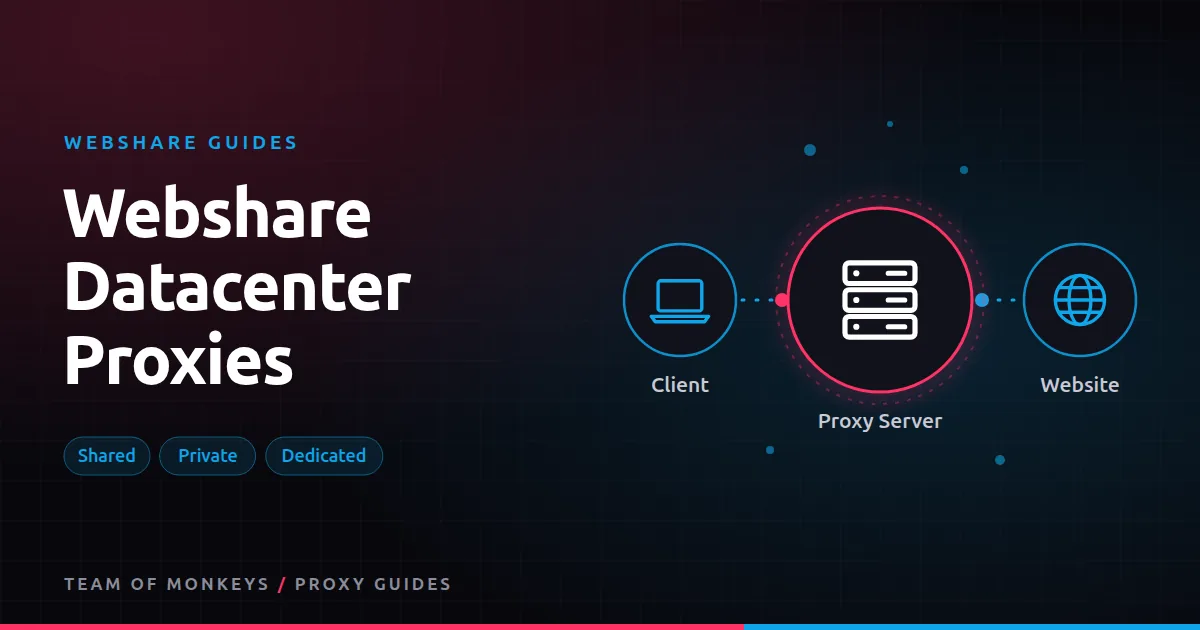
What Webshare's Proxy Server product is
Webshare calls its datacenter product Proxy Server. You buy a list of datacenter IP addresses, and each one works as an HTTP or SOCKS5 proxy. The IPs belong to hosting networks rather than home internet providers, which makes them fast and cheap but easier for websites to identify. If you're new to the type, start with our guide to datacenter proxies.
What makes Webshare stand out is how configurable the list is. You choose the number of proxies, the countries, the bandwidth, the number of threads and the access level, and pay for exactly that.
Shared, private and dedicated
| Access level | Who else uses the IP | Price | Best for |
|---|---|---|---|
| Shared | Other Webshare customers | Lowest | Scraping lenient sites, monitors, testing |
| Private | A very small number of other users | Middle | Better reputation at a modest premium |
| Dedicated | Only you | Highest | Accounts, whitelisting, consistent identity |
Shared IPs are the cheapest per proxy because the cost is spread across users, but you inherit whatever those users did. Dedicated IPs are yours alone, so the reputation is in your hands. We compare them in detail in shared vs private vs dedicated Webshare proxies.
Pricing at a glance
At the time of writing, shared datacenter plans start at $2.99 a month for 100 proxies and fall to under $0.02 per proxy at large volumes, with yearly billing discounts on top. Private and dedicated IPs cost more per proxy. See Webshare pricing explained for the full table.
What datacenter proxies from Webshare are good for
- Scraping lenient sites. Public data on sites without heavy bot protection: small shops, directories, documentation, government data, many APIs.
- Monitoring. Uptime checks, price and stock monitors, sneaker monitors and change detection, where speed matters and the target tolerates datacenter traffic.
- SEO tools that query sites directly rather than search engines.
- Testing and development. Running code against real proxies before you move to something more expensive.
- Spreading load. Distributing many light requests across hundreds or thousands of IPs to stay under per-IP rate limits.
What they're not good for
- Heavily protected sites. Large marketplaces, ticketing, social networks and search engines often block datacenter ranges outright. Use rotating residential or static residential instead.
- Location realism. A datacenter IP in a country isn't the same as a home connection there. For local results, residential is more accurate.
- Account work on shared IPs. Use dedicated or ISP IPs for accounts.
Connecting
You can use the list in two ways:
- Direct. Each proxy has its own IP and port. Your code picks which one to use for each request. This is the usual choice for scrapers with their own rotation logic.
- Backbone. Connect to Webshare's gateway and let it choose an IP from your list, rotating per request or holding a session.
See backbone vs direct connection. Both work with username and password or IP authorization.
Budget tip: You can test most of this guide for free: Webshare gives every new account 10 datacenter proxies and 1 GB of bandwidth a month without a credit card. Move to a paid plan once the pilot works. See our complete Webshare guide.
Getting the most out of a datacenter list
- Rotate evenly. Use every IP in the list rather than hammering the first few. Round-robin or random selection both work. See proxy rotation strategies.
- Respect per-IP limits. Add delays per IP and per domain. A list of 1,000 IPs at one request per IP every ten seconds is already 100 requests a second.
- Replace dead or blocked IPs. Webshare replaces proxies that fail its status checks automatically and lets you request replacements, explained in Webshare proxy replacements.
- Match the country to the target where it matters, even for datacenter IPs.
- Watch threads and bandwidth. If requests start failing at high concurrency, you may be hitting the plan's thread limit rather than a block. See Webshare bandwidth and threads.
How Webshare datacenter compares
Webshare sells datacenter proxies as a fixed list priced per IP, which is cheapest when you need many IPs for light traffic. Geonode sells rotating datacenter proxies priced per GB, which can be cheaper when you need fewer, heavier requests. The right choice depends on your traffic shape; we work through examples in Webshare vs Geonode datacenter proxies.
Sizing a datacenter list
The number of proxies you need depends on how fast you need to go and how much each target tolerates per IP:
IPs needed = requests per second x seconds between requests per IP
| Requests per second | Safe gap per IP | IPs needed (minimum) | Sensible list size |
|---|---|---|---|
| 1 | 10 s | 10 | 100 |
| 10 | 10 s | 100 | 250 to 500 |
| 50 | 20 s | 1,000 | 1,000 to 2,500 |
The "sensible" column adds headroom for blocked or slow IPs and for traffic spread across several targets. Start at the low end, measure blocks, and grow.
Choosing locations
Datacenter IP location matters less than residential location, but it still matters:
- Geo-restricted sites may block or redirect foreign IPs.
- Localised content (currency, language) often follows IP country.
- Latency is lower when the proxy is near the target's servers.
Pick countries that match your targets. If your targets are global and lenient, a mix of US and European IPs is a common default.
Proxy tip: If your residential usage goes up and down, compare Geonode: its per-GB residential bandwidth doesn't expire, so you only pay for what you use. See Geonode datacenter proxies.
Shared vs dedicated in practice
Teams often start with shared IPs because they're cheapest, then hit a wall on one or two targets. Before upgrading the whole list, try a small dedicated or private list on just those targets. If success improves, the problem was shared reputation, and you can split your traffic: shared for the easy majority, private or dedicated for the sensitive few.
Datacenter red flags
Signs you should stop trying datacenter on a target:
- Block rates stay high even at slow rates.
- Every IP is blocked, including fresh replacements.
- The site serves challenge pages instantly on the first request.
That pattern means the site blocks datacenter ranges as a category. Move the target to rotating residential and keep your datacenter list for everything else.
A real-world example
A travel blog network monitors 3,000 hotel and attraction pages for broken links and price changes every day. The pages are on small, lenient sites, so a 250-IP shared datacenter list from Webshare handles the job at one request per IP every 30 seconds. When one large booking site starts blocking the list, the team moves only that domain to rotating residential traffic and keeps the rest on datacenter IPs, holding costs at a few dollars a month.
For the bigger picture beyond these two providers, read our best proxies buyer's guide, and see cheap proxies for ways to cut cost per successful request.
Key takeaways
- Webshare's Proxy Server product is a configurable list of shared, private or dedicated datacenter IPs.
- It's the cheapest way to get many IPs for lenient scraping, monitoring and testing.
- Size the list from your request rate and each target's per-IP tolerance, plus headroom.
- Use private or dedicated IPs where shared reputation causes blocks, and residential where datacenter ranges are blocked outright.
- Direct mode gives you per-IP control; the backbone gateway gives you easy rotation.
FAQ
Are Webshare datacenter proxies residential?
No. They're datacenter IPs. Webshare's residential products are the static residential (ISP) and rotating residential plans.
Do Webshare datacenter proxies support SOCKS5?
Yes. Webshare's proxies support both HTTP and SOCKS5. See SOCKS5 proxies.
How many datacenter proxies do I need?
Divide the requests you need per minute by the rate one IP can safely handle on your target. Start small, measure blocks, and scale. Lenient targets may need only dozens of IPs.
Can I choose countries for Webshare datacenter proxies?
Yes. Locations are part of the plan configuration, across 50+ countries at the time of writing.
Do Webshare datacenter proxies rotate?
Direct IPs don't rotate on their own. Rotate in your code, use the backbone gateway with the rotate option, or enable recurring replacement.
Are datacenter proxies good for social media accounts?
Not usually. Use dedicated static residential IPs for accounts.
Editorial note: Proxy providers change their pools, features and prices often, so treat any figures here as typical ranges at the time of writing and confirm current terms with the provider before you buy.