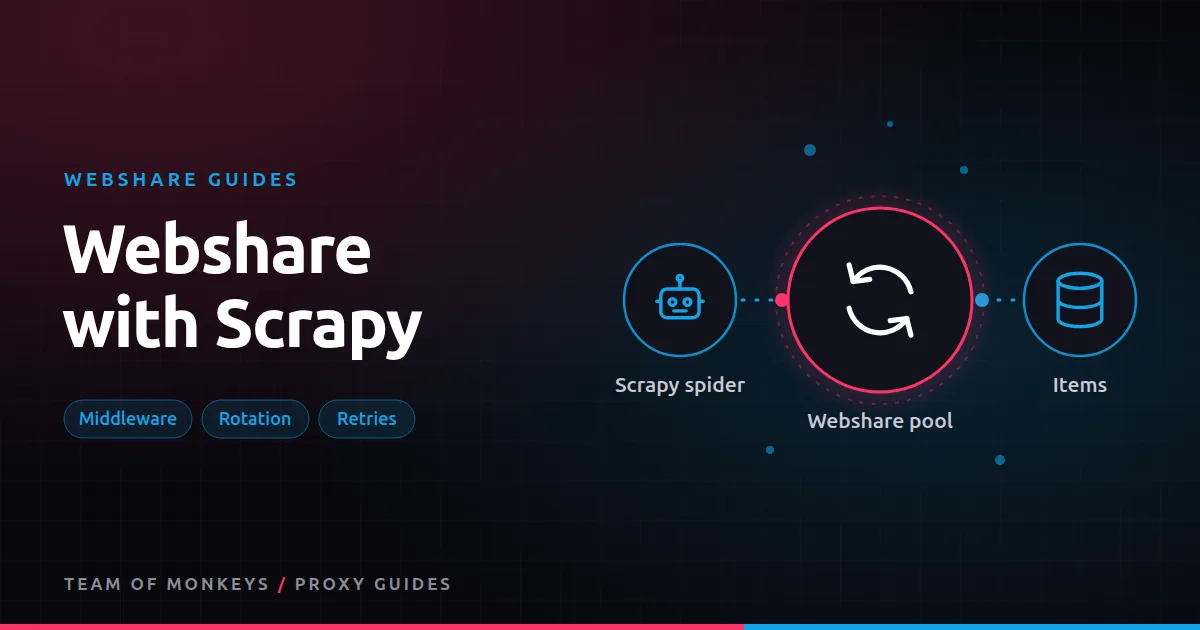
Two ways to plug Webshare into Scrapy
Scrapy reads the proxy for each request from request.meta["proxy"]. With Webshare you can either:
- Point every request at the backbone gateway and let Webshare rotate, or
- Rotate through a direct proxy list in a downloader middleware.
General Scrapy proxy background is in Scrapy proxies.
Option 1: backbone gateway
The simplest setup. In your spider:
import os, scrapy

PROXY = f"http://{os.environ['WS_USER']}-rotate:{os.environ['WS_PASS']}@p.webshare.io:80"

class Products(scrapy.Spider):
    name = "products"
    start_urls = ["https://example.com/catalog"]

    def start_requests(self):
        for url in self.start_urls:
            yield scrapy.Request(url, meta={"proxy": PROXY})

    def parse(self, response):
        for href in response.css("a.product::attr(href)").getall():
            yield response.follow(href, self.parse_item, meta={"proxy": PROXY})

    def parse_item(self, response):
        yield {"url": response.url, "title": response.css("h1::text").get()}
Scrapy's built-in HttpProxyMiddleware reads the credentials from the URL and sends them to the proxy.
Option 2: rotating middleware for a direct list
# middlewares.py
import random

class WebshareListMiddleware:
    def __init__(self, path):
        self.proxies = []
        for line in open(path):
            ip, port, user, pw = line.strip().split(":")
            self.proxies.append(f"http://{user}:{pw}@{ip}:{port}")

    @classmethod
    def from_crawler(cls, crawler):
        return cls(crawler.settings.get("WEBSHARE_LIST", "webshare_proxies.txt"))

    def process_request(self, request, spider):
        if "proxy" not in request.meta:
request.meta["proxy"] = random.choice(self.proxies)# settings.py
DOWNLOADER_MIDDLEWARES = {
"myproject.middlewares.WebshareListMiddleware": 350,
}
WEBSHARE_LIST = "webshare_proxies.txt"The order matters: your middleware must set meta["proxy"] before Scrapy's built-in HttpProxyMiddleware (priority 750 by default) reads it. Lower numbers run first on requests, so 350 is safe. To refresh the list from the Webshare API, load it on a timer instead of once.
Retries with a new IP
Scrapy's RetryMiddleware retries failed requests, but by default a retried request keeps its meta, including the proxy. To get a fresh IP on retry with a direct list, delete the proxy key when retrying, or add codes like 403 and 429 to RETRY_HTTP_CODES and handle them in a small middleware that picks a new proxy. With the backbone rotate option, every retry already gets a new exit IP.
Sticky crawls
For paginated listings or logged-in areas, keep one IP per crawl path using a session username:
import random
sid = random.randint(1, 999_999)
meta = {"proxy": f"http://{user}-{sid}:{pw}@p.webshare.io:80", "cookiejar": sid}
Pass the same meta to every follow-up request in that path. See Webshare sticky sessions.
Budget tip: Before scaling, run a short pilot with Webshare on your real targets and record success rate, latency and bandwidth per result. Our Webshare for web scraping explains which Webshare product fits which job.
Settings that matter
CONCURRENT_REQUESTS = 32            # keep below your Webshare thread limit
CONCURRENT_REQUESTS_PER_DOMAIN = 8
DOWNLOAD_DELAY = 0.5
AUTOTHROTTLE_ENABLED = True
RETRY_TIMES = 3
DOWNLOAD_TIMEOUT = 30
Concurrency above the plan's thread limit produces connection errors that look like blocks. See Webshare bandwidth and threads.
Choosing the right Webshare product for Scrapy
| Target | Product |
|---|---|
| Lenient sites, high volume | Shared or private datacenter list |
| Protected sites | Rotating residential through the backbone |
| Logged-in crawls | Session username, or a dedicated static IP |
For a second opinion on hard targets, compare with Geonode; see Webshare vs Geonode for Scrapy.
Refreshing the proxy list during a crawl
Long crawls outlive proxy lists. Reload periodically inside the middleware:
import time

class RefreshingList(WebshareListMiddleware):
    def __init__(self, path, ttl=900):
        super().__init__(path)
        self.path, self.ttl, self.loaded = path, ttl, time.time()

    def process_request(self, request, spider):
        if time.time() - self.loaded > self.ttl:
            self.__init__(self.path, self.ttl)
        return super().process_request(request, spider)
In production, fetch the list from the Webshare API instead of a file so automatic replacements are picked up.
Tracking success per proxy
Add a small extension or middleware that counts responses by proxy and status. Export the counts at the end of a crawl. IPs with high block rates can be excluded from that domain next time, or replaced.
Polite crawling settings by target type
| Target | Per-domain concurrency | Delay |
|---|---|---|
| Small sites | 1 to 2 | 2 to 5 s |
| Medium sites | 4 to 8 | 0.5 to 1 s |
| Large, robust sites | 8 to 16 | AutoThrottle |
Proxies let you spread load across IPs, but per-domain politeness still matters, both ethically and to avoid blocks.
Proxy tip: For a second opinion on hard targets, run the same test through Geonode residential proxies, which support sticky sessions up to 24 hours and ASN targeting. We compare the two in using Geonode with Scrapy.
Scrapy and JavaScript pages
Scrapy doesn't render JavaScript. For JavaScript-heavy pages, look for the underlying JSON API in the browser's network panel, or add a headless browser integration for only those pages, routed through the same Webshare proxies.
A real-world example
A research group crawls 200 local news sites weekly with Scrapy. A rotating middleware over a 300-IP Webshare datacenter list handles 190 of them. The other 10 sites, which sit behind bot protection, are tagged in settings and routed through the residential gateway with a session per section, using Scrapy's cookiejar key to keep cookies with each session. AutoThrottle keeps per-site load polite, and the weekly crawl completes overnight.
If you're still shortlisting, compare this setup with the options in our best proxies guide, and use our cheap proxies guide to estimate what a sensible budget looks like.
Key takeaways
- Scrapy reads each request's proxy from
meta["proxy"], so Webshare plugs in with no extra libraries. - Use the backbone for simplicity or a rotating middleware over a direct list for per-IP control.
- Clear the proxy on retries with a list so retried requests get a new IP.
- Pair session usernames with
cookiejarfor paginated or logged-in crawls. - Keep concurrency below your plan's thread limit and use AutoThrottle.
FAQ
Does Scrapy support SOCKS5 proxies?
Not natively. Use HTTP proxy URLs with Scrapy; Webshare supports both.
Why do I get 407 errors in Scrapy?
The credentials in the proxy URL are wrong, unencoded, or for the wrong mode. Check them with cURL first.
Should I use the backbone or a list with Scrapy?
Backbone for simplicity and residential traffic; a list when you want per-IP control on datacenter proxies.
Where do I put proxy credentials in Scrapy?
In the proxy URL in meta["proxy"], loaded from environment variables or settings, not hard-coded in spiders.
Can I use different Webshare products per spider?
Yes. Set the proxy per request or per spider based on the target.
Does Scrapy work with Webshare's free plan?
Yes, for development and small crawls within the 1 GB allowance.
Editorial note: Proxy providers change their pools, features and prices often, so treat any figures here as typical ranges at the time of writing and confirm current terms with the provider before you buy.